
5. Learn components with the Gallery
The Gallery offers category navigation and name search on the left; Ctrl+K focuses search. The upper-right controls change language and theme. Component pages contain interactive examples, source actions, and API documentation below the examples.
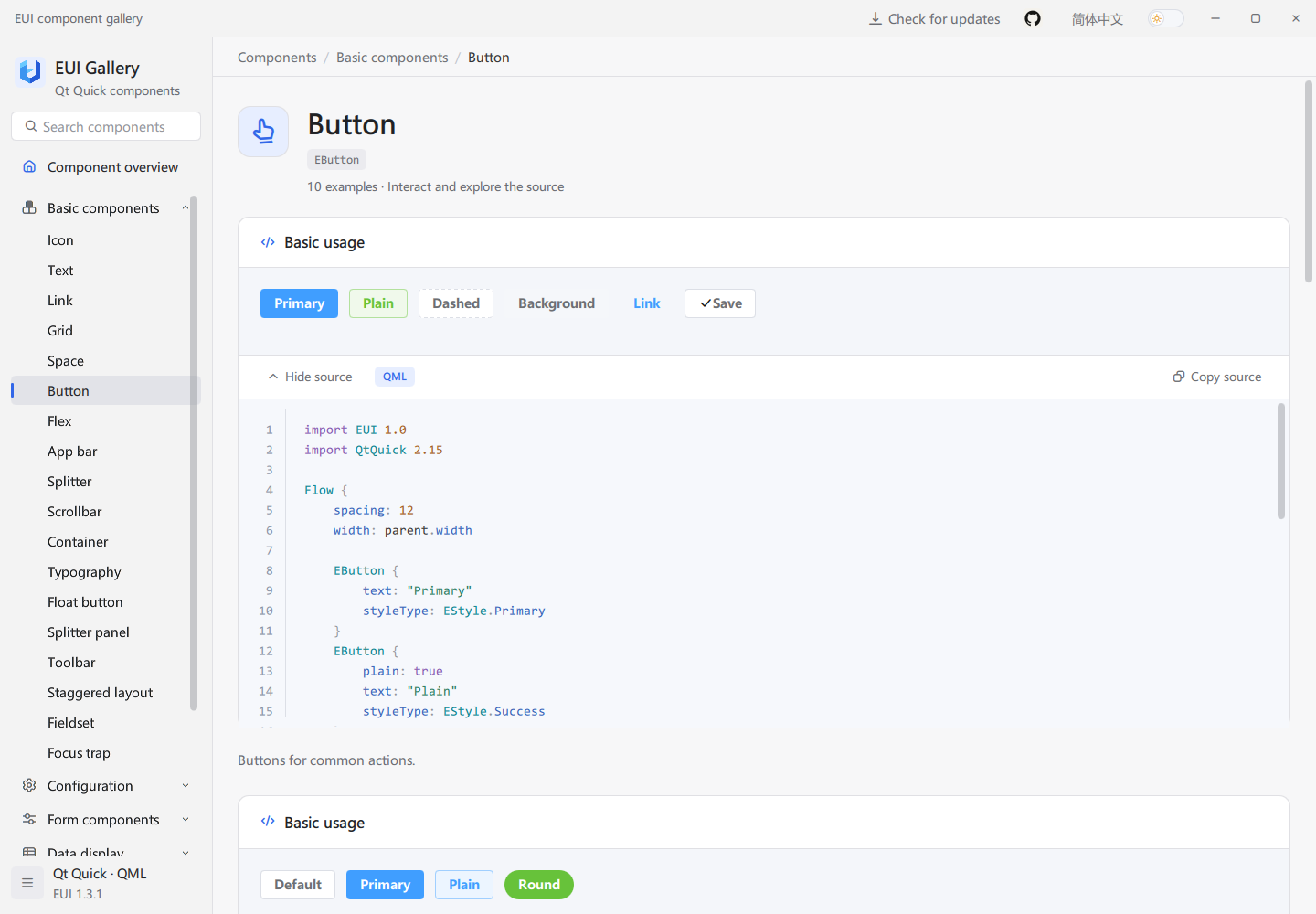
Recommended workflow:
- Search for a control such as
EInputand try the interaction in its preview. - Expand the relevant source card to inspect its model, properties, and event handlers.
- Copy the source into an existing window and adjust layout and business text.
- Read the API section for defaults, signal parameters, and method purposes.
- Implement and verify your application's models, submission logic, and network requests.
Gallery software updates
Gallery checks for new versions at startup. Open the update panel from the top bar to view version information. When an update is available, select Update now to download and install it while following progress in the panel. Gallery restarts after updating and retains your language, theme, and user settings. Select Retry check after a network error.
Updating requires write access to the installation directory and sufficient free space. If an in-place update is unavailable, download a package for your system and architecture from GitHub Releases.